> ## Content Index
> Fetch the complete content index at: https://blog.jsinh.in/llms.txt
> Use this file to discover other available public pages before exploring further.
# Assembly Binding - TypeInitializationException was unhandled
- URL: https://blog.jsinh.in/assembly-binding-typeinitializationexception-was-unhandled/
- Published: 2015-06-26T12:48:46.000Z
- Updated: 2026-07-07T15:06:44.000Z
- Author: Jsinh
- Tags: #Import 2026-10-04 19:16
While I was working on some code today and found that some NuGet packages where out of date. So I went to update tab in Manage NuGet packages window and updated all of them.
`MySql.Data` package (not important which package, just an example) was also updated in that from version `6.7.8` to current / latest (`6.9.6`). I tried to run the application to test the updates made in referring packages.
I encountered following error:
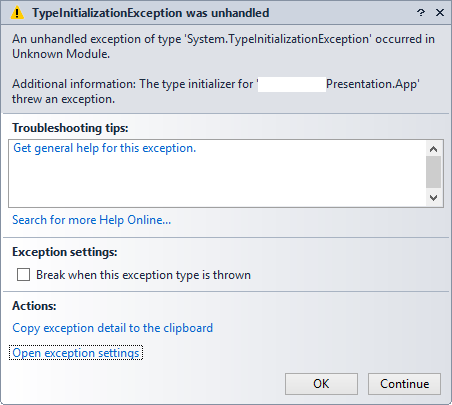
**TypeInitializationException was unhandled**
> An unhandled exception of type 'System.TypeInitializationException' occurred in Unknown Module.
*Additional information: The type initializer for '\[Application Name\]' threw an exception.*
Looking at this exception, it doesn't seems to be obvious what is going wrong here. There isn't even option for "View details". Many of you may get stuck on this and spent hours before you figure out that the `AssemblyBinding`.`dependentAssembly`.`bindingRedirect` are creating this funnies.
If you go through your `app.config` / `web.config` file you will see a section similar to following:
```
```
This is used for redirecting assembly versions.
**[Ref: MSDN](https://msdn.microsoft.com/en-us/library/7wd6ex19%28v=vs.110%29.aspx?ref=blog.jsinh.in)**
> You can redirect compile-time binding references to .NET Framework assemblies, third-party assemblies, or your own app's assemblies. You can redirect your app to use a different version of an assembly in a number of ways: through publisher policy, through an app configuration file; or through the machine configuration file. This article discusses how assembly binding works in the .NET Framework and how it can be configured.
This was inserted by the NuGet package - `MySql.ConnectorNET.Data.*.*.*.*` and somehow was not updated when I updated NuGet packages. After I updated this piece of code in configuration file as follows, application started successfully and I didn't encountered above exception anymore.
```
```
Look for all the `assemblyBinding` nodes in your configuration file(s) and check the version number of your currently used dll (Right click > Properties > Details > FileVersion attribute) and updated the version number in `bindingRedirect` node appropriately.
Hope this helps.
Happy Coding !!